
We are Exaira

At Exaira, solving problems in shopping & shipping from the USA is our main expertise

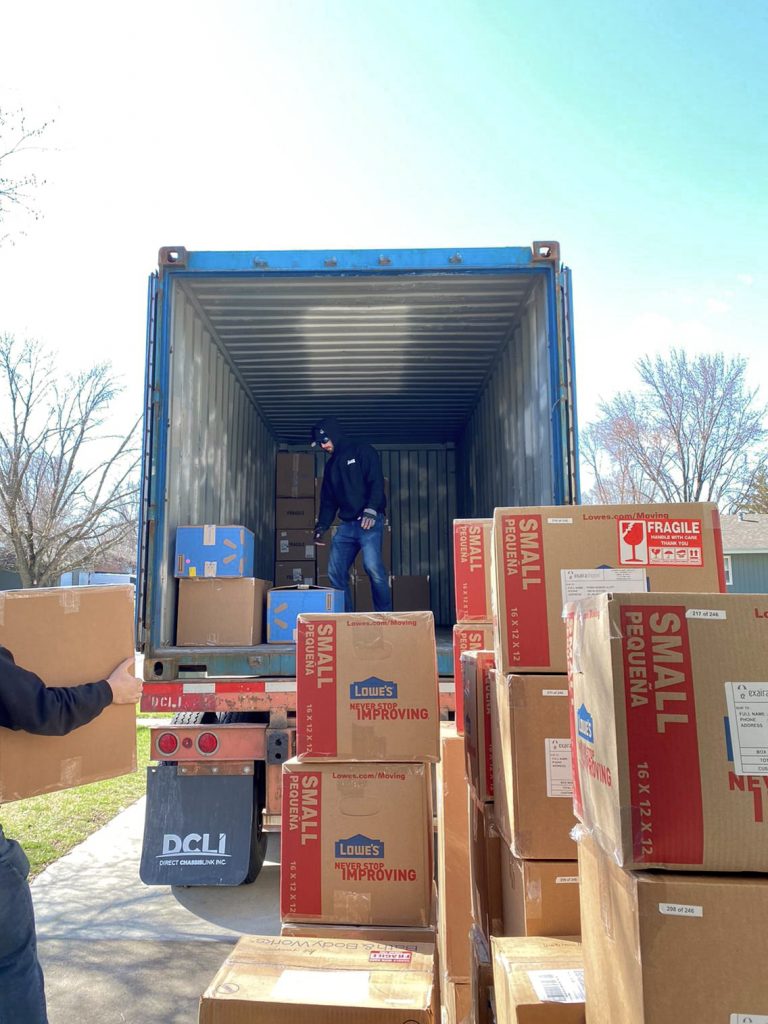
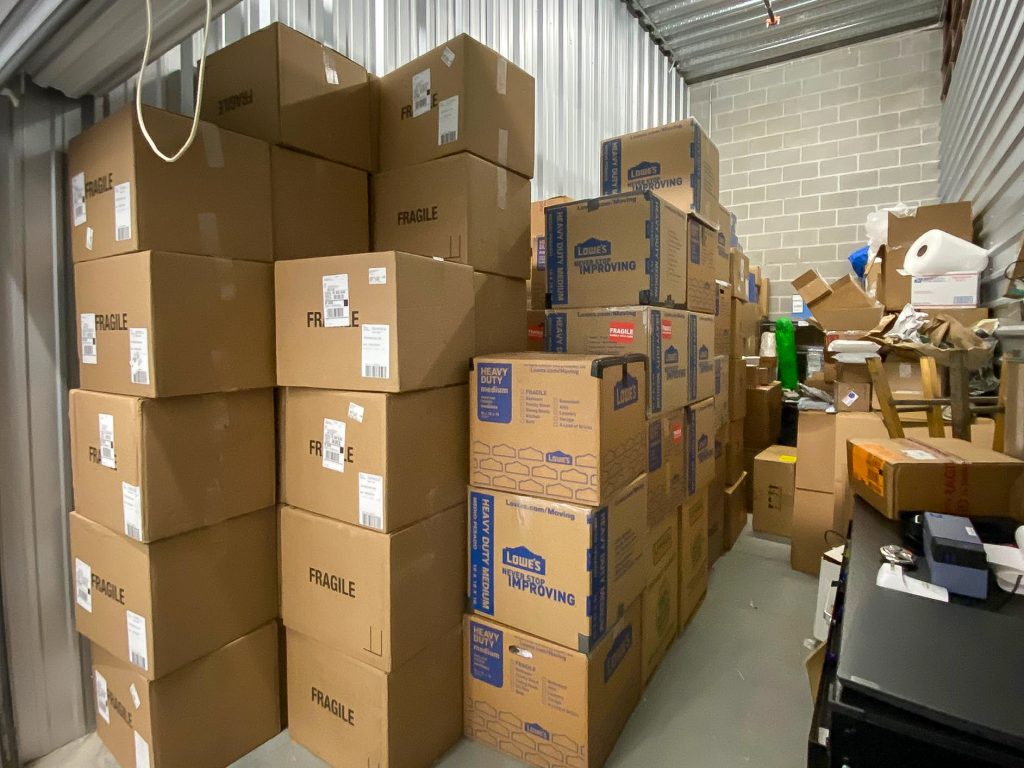
We are a package and freight forwarder that can assist you with shopping & shipping solutions from the USA to all around the world – especially South East Asia region!

Exaira has served and assisted many global online shoppers who want to do cross-border online shopping from the United States with ease and conveniently.

Our Story

Exaira was established in 2018 and managed by a Malaysia-based package and freight forwarding company, Exaira Global (M) Sdn. Bhd. with its US subsidiary Exaira Global (US) LLC. We have the expertise, resources and global experience to assist international shoppers and businesses who wish to shop across the USA by providing shopping and global shipping solutions. Originally, Exaira was founded to support Malaysian shoppers who want to shop and ship their items from the USA. This idea flourished and now as our team grew into a global company, consumers around the world, especially in South East Asia region, have trusted Exaira to provide a reliable and systematic way to shop online and ship their purchases worldwide.


Our Mission

To provide the most affordable, fast, and reliable package and freight forwarding services from the USA by offering the finest shopping & shipping solutions with the greatest passion and dedication to fulfill the demands of consumers & businesses worldwide.

Our Vision

We are striving to be the best and the most reliable and systematic package and freight forwarder in the USA – especially for consumers & businesses in Malaysia, South East Asia, and the Middle East region in the year 2030.

Our Mission

To provide the most affordable, fast, and reliable package and freight forwarding services from the USA by offering the finest shopping & shipping solutions with the greatest passion and dedication to fulfill the demands of consumers & businesses worldwide.

Our Vision

We are striving to be the best and the most reliable and systematic package and freight forwarder in the USA – especially for consumers & businesses in Malaysia, South East Asia, and the Middle East region in the year 2030.

Affiliate Disclaimer

At Exaira.com, our mission is to help international shoppers, especially those in Southeast Asia, shop from the USA with ease. To support our efforts, we participate in various affiliate marketing programs, which means the retailer will contribute a portion of the sale to support this site. This comes at no extra cost to you and helps us continue providing valuable content, shipping guides, and shopping tips.


1. What Are Affiliate Links?
 

Affiliate links are special tracking links that allow retailers to recognize when a purchase is made through Exaira.com. When you click on one of these links and make a purchase, we may receive a small commission from the retailer. This commission does not affect the price you pay.

2. Why Does Exaira Use Affiliate Links?


Running a website that provides international shopping guidance requires time, effort, and resources. Affiliate commissions help us:

  • Maintain and improve our free content, such as shopping tips, shipping guides, and product reviews.
  • Continue testing and recommending the best products and services for global shoppers.
  • Keep Exaira.com free to use without needing a subscription or paid membership.
  • Read more here: Why I should use Exaira for my USA shopping?

3. Our Commitment to Transparency


At Exaira.com, we prioritize honesty and transparency. Our recommendations are based on our own research, experience, and insights into international shopping. Affiliate partnerships do not influence our product selections or reviews. We only recommend services and products that we genuinely believe will benefit our readers.

That said, we encourage you to do your own research before making any purchasing decision. Your trust is important to us, and we aim to provide only helpful, accurate, and unbiased information.

4. Amazon Associates and Other Programs


Exaira.com is a participant in the Amazon Services LLC Associates Program, an affiliate advertising program that allows websites to earn fees by linking to Amazon.com and affiliated sites. This means we may earn from qualifying purchases made through our Amazon links.

We also participate in other affiliate programs from reputable companies that offer products and services useful to international shoppers. Each program operates independently, and we adhere to their respective policies and guidelines.

5. No Extra Cost to You


Using affiliate links does not increase the price you pay for any product. In fact, sometimes, we may even share discounts or special deals available through our partnerships. By making purchases through our links, you are supporting Exaira.com at no additional cost, and we sincerely appreciate your support.

6. Questions & Contact Information


We believe in full transparency, and we welcome any questions about our affiliate relationships. If you have any inquiries about this disclaimer or our affiliate partnerships, please feel free to contact us at hello[@]exaira.com or visit our Contact Page.

Thank you for supporting Exaira.com and allowing us to continue helping international shoppers worldwide!

Shop at Macy's

Macy’s provides you with a wide range of products with the cheapest pricing and lots of sales that you will love. However, if you’re living outside of the US and want to shop at Macy’s, you must use a Virtual Private Network (VPN) in order to browse the products on Macy’s website. We recommend you to use ProtonVPN, a free and secure VPN when shopping at Macy’s.

Here’s how you can shop at Macy’s?

1.  Go to the ProtonVPN website and click Get ProtonVPN Now or Signup button.

2. Click Get Free to connect to the VPN server for free or you can also select the paid version.
3. Create an account and enter the verification code that will be sent to your email address.
4. Once you have clicked the Verify button, you will be automatically logged in and view the Downloads page.
5. Download the ProtonVPN clients based on the device that you will be using to shop, i.e. Windows if you are using Windows OS.
6. Install the application on your device and restart the device when the installation is done.
7. Log in thru the application by entering your username and password.
8. Select the United States tab and connect to US-FREE#5 server.
9. Open your web browser and go to Macy’s website or simply click the button below. Now you can shop at Macy’s.

If you have trouble following the instructions or opening Macy’s website on your device, contact us now and our customer support will assist you.

Shop at Nike

If you’re living outside of the US and want to shop at Nike, you must use a Virtual Private Network (VPN) to shop at Nike’s US online store. We recommend you to use ProtonVPN, a free and secure VPN when shopping at Nike.

Here’s how you can shop at Nike?

1.  Go to the ProtonVPN website and click Get ProtonVPN Now or Signup button.

2. Click Get Free to connect to the VPN server for free or you can also select the paid version.
3. Create an account and enter the verification code that will be sent to your email address.
4. Once you have clicked the Verify button, you will be automatically logged in and view the Downloads page.
5. Download the ProtonVPN clients based on the device that you will be using to shop, i.e. Windows if you are using Windows OS.
6. Install the application on your device and restart the device when the installation is done.
7. Log in thru the application by entering your username and password.
8. Select the United States tab and connect to US-FREE#5 server.
9. Open your web browser and go to Nike website or simply click the button below. Now you can shop at Nike.

If you have trouble following the instructions or opening the Nike website on your device, contact us now and our customer support will assist you.

Shop at Tumi

If you’re living outside of the US and want to shop at Tumi, you must use a Virtual Private Network (VPN) to shop at Tumi’s US online store. We recommend you to use ProtonVPN, a free and secure VPN when shopping at Tumi.

Here’s how you can shop at Tumi?

1.  Go to the ProtonVPN website and click Get ProtonVPN Now or Signup button.

2. Click Get Free to connect to the VPN server for free or you can also select the paid version.
3. Create an account and enter the verification code that will be sent to your email address.
4. Once you have clicked the Verify button, you will be automatically logged in and view the Downloads page.
5. Download the ProtonVPN clients based on the device that you will be using to shop, i.e. Windows if you are using Windows OS.
6. Install the application on your device and restart the device when the installation is done.
7. Log in thru the application by entering your username and password.
8. Select the United States tab and connect to US-FREE#5 server.
9. Open your web browser and go to Tumi website or simply click the button below. Now you can shop at Tumi.

If you have trouble following the instructions or opening the Tumi website on your device, contact us now and our customer support will assist you.

Shop at Guess

If you’re living outside of the US and want to shop at Guess, you must use a Virtual Private Network (VPN) to shop at Guess’ US online store. We recommend you to use ProtonVPN, a free and secure VPN when shopping at Guess.

Here’s how you can shop at Guess?

1.  Go to the ProtonVPN website and click Get ProtonVPN Now or Signup button.

2. Click Get Free to connect to the VPN server for free or you can also select the paid version.
3. Create an account and enter the verification code that will be sent to your email address.
4. Once you have clicked the Verify button, you will be automatically logged in and view the Downloads page.
5. Download the ProtonVPN clients based on the device that you will be using to shop, i.e. Windows if you are using Windows OS.
6. Install the application on your device and restart the device when the installation is done.
7. Log in thru the application by entering your username and password.
8. Select the United States tab and connect to US-FREE#5 server.
9. Open your web browser and go to Guess website or simply click the button below. Now you can shop at Guess.

If you have trouble following the instructions or opening the Guess website on your device, contact us now and our customer support will assist you.

Shop at JCPenney

If you’re living outside of the US and want to shop at JCPenney, you must use a Virtual Private Network (VPN) to shop at JCPenney’s US online store. We recommend you to use ProtonVPN, a free and secure VPN when shopping at JCPenney.

Here’s how you can shop at JCPenney?

1.  Go to the ProtonVPN website and click Get ProtonVPN Now or Signup button.

2. Click Get Free to connect to the VPN server for free or you can also select the paid version.
3. Create an account and enter the verification code that will be sent to your email address.
4. Once you have clicked the Verify button, you will be automatically logged in and view the Downloads page.
5. Download the ProtonVPN clients based on the device that you will be using to shop, i.e. Windows if you are using Windows OS.
6. Install the application on your device and restart the device when the installation is done.
7. Log in thru the application by entering your username and password.
8. Select the United States tab and connect to US-FREE#5 server.
9. Open your web browser and go to JCPenney website or simply click the button below. Now you can shop at JCPenney.

If you have trouble following the instructions or opening the JCPenney website on your device, contact us now and our customer support will assist you.

Shop at Calvin Klein

If you’re living outside of the US and want to shop at Calvin Klein, you must use a Virtual Private Network (VPN) to shop at Calvin Klein’s US online store. We recommend you to use ProtonVPN, a free and secure VPN when shopping at JCPenney.

Here’s how you can shop at JCPenney?

1.  Go to the ProtonVPN website and click Get ProtonVPN Now or Signup button.

2. Click Get Free to connect to the VPN server for free or you can also select the paid version.
3. Create an account and enter the verification code that will be sent to your email address.
4. Once you have clicked the Verify button, you will be automatically logged in and view the Downloads page.
5. Download the ProtonVPN clients based on the device that you will be using to shop, i.e. Windows if you are using Windows OS.
6. Install the application on your device and restart the device when the installation is done.
7. Log in thru the application by entering your username and password.
8. Select the United States tab and connect to US-FREE#5 server.
9. Open your web browser and go to Calvin Klein website or simply click the button below. Now you can shop at Calvin Klein.

If you have trouble following the instructions or opening the Calvin Klein website on your device, contact us now and our customer support will assist you.

Shop at Timberland

If you’re living outside of the US and want to shop at Timberland, you must use a Virtual Private Network (VPN) to shop at Timberland’s US online store. We recommend you to use ProtonVPN, a free and secure VPN when shopping at Timberland.

Here’s how you can shop at Timberland?

1.  Go to the ProtonVPN website and click Get ProtonVPN Now or Signup button.

2. Click Get Free to connect to the VPN server for free or you can also select the paid version.
3. Create an account and enter the verification code that will be sent to your email address.
4. Once you have clicked the Verify button, you will be automatically logged in and view the Downloads page.
5. Download the ProtonVPN clients based on the device that you will be using to shop, i.e. Windows if you are using Windows OS.
6. Install the application on your device and restart the device when the installation is done.
7. Log in thru the application by entering your username and password.
8. Select the United States tab and connect to US-FREE#5 server.
9. Open your web browser and go to Timberland website or simply click the button below. Now you can shop at Timberland.

If you have trouble following the instructions or opening the Timberland website on your device, contact us now and our customer support will assist you.

Shop at Forever 21

If you’re living outside of the US and want to shop at Forever 21, you must use a Virtual Private Network (VPN) to shop at Forever 21’s US online store. We recommend you to use ProtonVPN, a free and secure VPN when shopping at Forever 21.

Here’s how you can shop at Forever 21?

1.  Go to the ProtonVPN website and click Get ProtonVPN Now or Signup button.

2. Click Get Free to connect to the VPN server for free or you can also select the paid version.
3. Create an account and enter the verification code that will be sent to your email address.
4. Once you have clicked the Verify button, you will be automatically logged in and view the Downloads page.
5. Download the ProtonVPN clients based on the device that you will be using to shop, i.e. Windows if you are using Windows OS.
6. Install the application on your device and restart the device when the installation is done.
7. Log in thru the application by entering your username and password.
8. Select the United States tab and connect to US-FREE#5 server.
9. Open your web browser and go to Forever 21 website or simply click the button below. Now you can shop at Forever 21.

If you have trouble following the instructions or opening the Forever 21 website on your device, contact us now and our customer support will assist you.

Shop at AE

If you’re living outside of the US and want to shop at American Eagle, you must use a Virtual Private Network (VPN) to shop at American Eagle’s US online store. We recommend you to use ProtonVPN, a free and secure VPN when shopping at American Eagle.

Here’s how you can shop at American Eagle?

1.  Go to the ProtonVPN website and click Get ProtonVPN Now or Signup button.

2. Click Get Free to connect to the VPN server for free or you can also select the paid version.
3. Create an account and enter the verification code that will be sent to your email address.
4. Once you have clicked the Verify button, you will be automatically logged in and view the Downloads page.
5. Download the ProtonVPN clients based on the device that you will be using to shop, i.e. Windows if you are using Windows OS.
6. Install the application on your device and restart the device when the installation is done.
7. Log in thru the application by entering your username and password.
8. Select the United States tab and connect to US-FREE#5 server.
9. Open your web browser and go to American Eagle website or simply click the button below. Now you can shop at American Eagle.

If you have trouble following the instructions or opening the American Eagle website on your device, contact us now and our customer support will assist you.

Scroll to Top